Best Computer Courses Near Dakshin Para
March 19, 2026
Best Computer Courses Near Dakshin Para – Practical Computer Training Since 2001
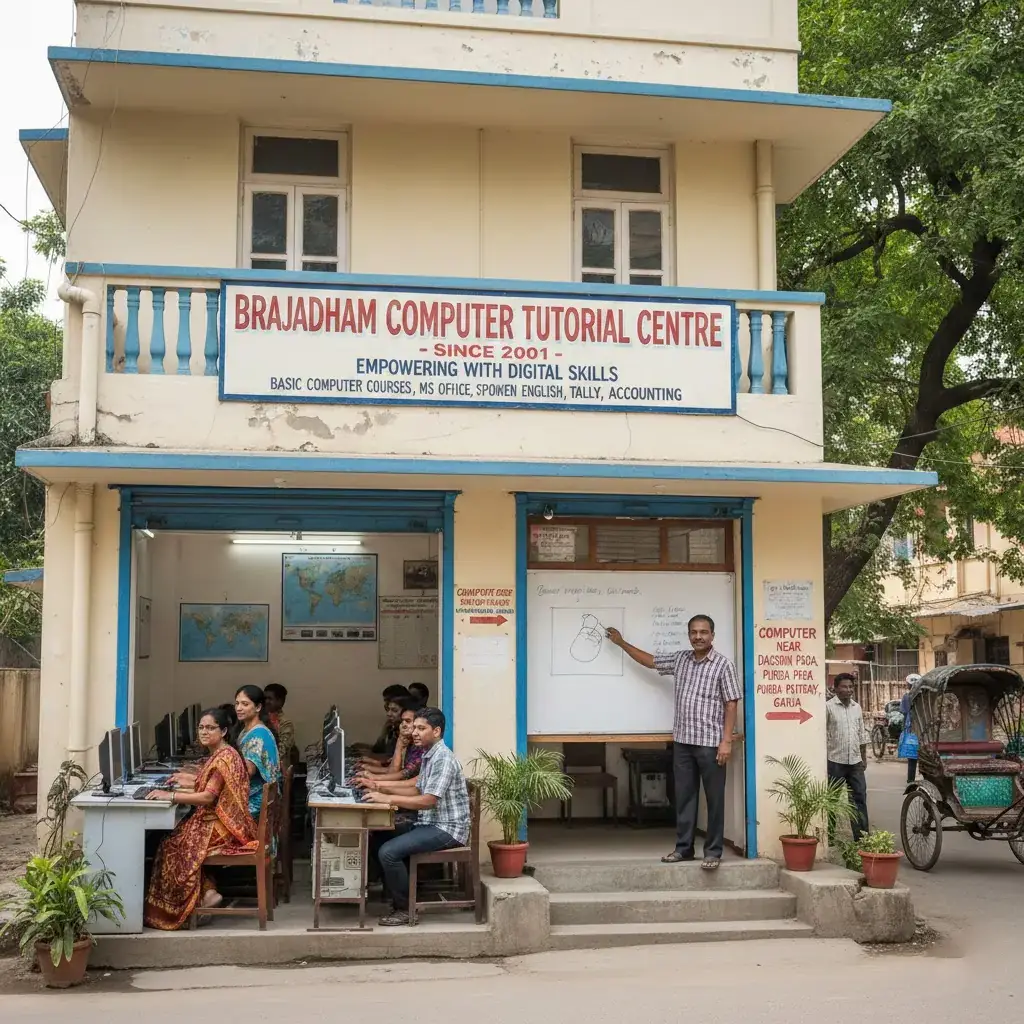
In today's digital world, computer skills are no longer optional—they are essential for education, employment, business, and everyday life. Whether you are applying for a job, preparing a school or college project, managing online banking, or running a small business, having confidence in using a computer can open countless opportunities. As technology continues to evolve in 2026, employers increasingly expect candidates to possess practical computer knowledge along with good communication skills. Choosing the right training institute is therefore one of the most important decisions for anyone looking to build a successful future.If you are searching for computer courses near Dakshin Para, Brajadham Computer Tutorial Centre (BCTC) is a trusted name that has been serving students and professionals since 2001. Conveniently located at 251, Brajadham, Purba Putiary, Dakshin Para, near Garia, South Kolkata, the institute provides classroom-based practical computer training designed to help learners gain real-world skills rather than just theoretical knowledge. If you are exploring your options, our guide on Top Places Where to Learn Basic Computer Skills in South Kolkata highlights why practical training is the best path to success.
For more than two decades, Brajadham Computer Tutorial Centre has welcomed school students, college students, job seekers, homemakers, senior citizens, and working professionals who want to improve their digital skills. The institute believes that every learner progresses at a different pace, so experienced instructors provide personal guidance, hands-on practice, and individual attention in small classroom batches. This practical teaching approach helps students build confidence while learning to use computers effectively in real-life situations.
The curriculum covers everything a beginner or intermediate learner needs, including Basic Computer Skills, Windows operating system, Microsoft Word, Microsoft Excel, Microsoft PowerPoint, internet browsing, email communication, typing practice, file management, and digital safety. Students also gain practical experience through assignments and exercises that mirror everyday office and personal tasks. Rather than memorizing concepts, learners develop the confidence to create documents, prepare spreadsheets, manage files, search the internet safely, and communicate professionally using digital tools.
Apart from technical knowledge, BCTC also focuses on developing workplace readiness. Many students choose to combine computer training with Spoken English Courses to improve their communication skills and increase their employability. This integrated approach helps learners prepare for interviews, office environments, and modern workplaces where computer literacy and communication go hand in hand. For those specifically aiming to enter the workforce, our training on English for Interviews and Jobs ensures you are prepared for every stage of your career.
Whether your goal is to secure your first job, improve your office productivity, support your studies, or simply become comfortable using technology, computer courses near Dakshin Para at Brajadham Computer Tutorial Centre provide practical learning in a friendly and supportive environment. The institute's long-standing reputation, experienced faculty, and commitment to quality education have made it one of the preferred destinations for computer training in Dakshin Para, Purba Putiary, Garia, and nearby areas of South Kolkata.
Which Is the Best Computer Course Near Dakshin Para?
If you are looking for computer courses near Dakshin Para, Brajadham Computer Tutorial Centre is a trusted classroom training institute established in 2001. Located in Purba Putiary near Garia, South Kolkata, the institute offers practical computer courses covering computer fundamentals, Microsoft Office, internet, email, typing, file management, and digital skills. The courses are suitable for beginners, students, job seekers, working professionals, and senior citizens who want to build practical computer knowledge for education, employment, and everyday life. If you are comparing your options, be sure to check our latest blog on Top Computer Classes Near Garia 2026 to see why BCTC stands out.Why Computer Skills Matter in 2026
Technology has become an integral part of almost every profession. From government offices and private companies to banks, hospitals, educational institutions, retail stores, and small businesses, computers are used daily to perform essential tasks. Individuals who possess practical computer knowledge often enjoy better employment opportunities, increased productivity, and greater confidence in adapting to modern workplaces.Students now complete assignments, online examinations, presentations, and research using computers. Colleges expect learners to submit digital projects and presentations prepared using Microsoft Office applications. Job seekers are frequently required to create professional resumes, fill out online application forms, send emails, and participate in virtual interviews. Without basic computer skills, these routine activities can become challenging.
Businesses of every size also depend on computers for managing customer information, maintaining financial records, creating invoices, communicating with clients, and promoting products online. Small business owners increasingly use spreadsheets, email, and digital payment systems to streamline their daily operations. Understanding these tools enables entrepreneurs to work more efficiently and compete in today's digital economy.
Government services have also shifted toward digital platforms. Citizens regularly access online portals for Aadhaar updates, PAN applications, passport services, railway ticket booking, utility bill payments, tax filing, and banking. Individuals who are comfortable using computers can complete these tasks independently, saving both time and money.
Another important reason to develop computer skills is the rise of artificial intelligence and automation. While technology continues to transform industries, people with strong digital literacy remain better equipped to adapt to new software, online tools, and changing workplace requirements. Learning computer fundamentals provides a strong foundation for future technologies and continuous learning.
For young students, computer education builds confidence and prepares them for higher education and future careers. For homemakers, it opens opportunities for online learning, home-based businesses, and digital communication. Senior citizens benefit by becoming more independent when accessing online services and staying connected with family members through email and video communication. Working professionals can improve their productivity by mastering office applications and digital collaboration tools.
Choosing computer courses near Dakshin Para allows learners to acquire these essential skills close to home through structured classroom training and regular practical sessions. Practical computer education is no longer limited to IT professionals; it has become a valuable life skill for people of all ages and backgrounds.
About Brajadham Computer Tutorial Centre
Brajadham Computer Tutorial Centre (BCTC) has been providing quality computer education in Purba Putiary, Dakshin Para, near Garia, South Kolkata since 2001. With more than two decades of teaching experience, the institute has earned the trust of students, parents, job seekers, and professionals by focusing on practical learning and individual student development.Unlike institutes that rely heavily on theory, BCTC emphasizes hands-on classroom training. Every student learns by performing practical exercises on computers under the guidance of experienced instructors. This teaching method helps learners understand concepts more effectively and develop the confidence needed to apply their knowledge in real-life situations.
The institute offers beginner-friendly as well as job-oriented computer training programs that cover computer fundamentals, Microsoft Office applications, internet usage, email communication, typing practice, and digital productivity skills. In addition, students can enroll in Conversational Workshops to strengthen both their technical and communication abilities.
Small classroom batches allow instructors to provide personalized attention and answer individual questions. Beginners who have never used a computer receive patient guidance throughout the learning process, while learners who want to find the Best Basic Computer Course Garia 2026 can enhance their existing skills through advanced practical exercises.
Conveniently located in Dakshin Para, the institute is easily accessible from nearby areas including Garia, Bansdroni, Naktala, Kudghat, Regent Park, Tollygunge, and other parts of South Kolkata. This convenient location makes it an excellent choice for local residents seeking reliable and affordable computer education without travelling long distances.
Why Students Trust BCTC Since 2001
Selecting a computer training institute involves more than comparing course fees or duration. Students and parents look for an institute that provides quality education, experienced instructors, practical learning opportunities, and genuine support throughout the learning journey. Brajadham Computer Tutorial Centre has built its reputation by consistently delivering these qualities for over twenty-four years.One of the biggest reasons learners trust BCTC is its commitment to practical education. Every lesson is designed to help students perform real tasks rather than simply memorizing theoretical concepts. Learners regularly practice creating documents, preparing spreadsheets, browsing the internet, sending emails, organizing files, and using essential computer applications that are commonly required in academic and professional environments.
The institute also understands that every learner begins with a different level of experience. Some students may have never used a computer before, while others want to improve their office skills or prepare for employment. By maintaining small classroom batches, instructors can provide individual guidance and ensure that each student progresses comfortably.
Over the years, BCTC has welcomed learners from diverse backgrounds, including school students, college students, homemakers, senior citizens, office employees, and job seekers. This broad experience has enabled the institute to develop teaching methods that are simple, practical, and easy to understand.
Another important factor contributing to the institute's reputation is its focus on affordability without compromising educational quality. Local families appreciate having access to quality classroom-based computer education near Dakshin Para, allowing students to develop valuable digital skills within their community.
The trust earned since 2001 reflects years of consistent teaching, positive student experiences, and a commitment to helping individuals build confidence through practical computer education. This dedication continues to make Brajadham Computer Tutorial Centre a preferred destination for learners seeking computer courses near Dakshin Para.
Classroom-Based Practical Training Method
Learning computers requires regular practice, not just reading textbooks or watching demonstrations. At Brajadham Computer Tutorial Centre, every topic is taught through practical classroom sessions where students actively use computers under instructor supervision.Instead of moving quickly through lessons, instructors explain each concept step by step, demonstrate the process, and then allow students to complete practical exercises independently. Questions are encouraged throughout the class, creating an interactive learning environment where students feel comfortable seeking clarification whenever needed.
Each module includes hands-on assignments that reinforce newly learned concepts. Students gradually build confidence by completing real-world activities such as creating documents, formatting reports, preparing Excel worksheets, designing presentations, managing folders, browsing websites, sending professional emails, and practicing safe internet usage.
Regular revision sessions help learners strengthen previously covered topics before progressing to more advanced skills. This structured learning approach ensures that students develop a solid foundation rather than forgetting concepts after completing individual lessons.
By combining experienced instruction, practical exercises, personalized guidance, and continuous assessment, Brajadham Computer Tutorial Centre prepares learners to use computers confidently in academic, personal, and professional settings.
Complete Computer Course Curriculum
A quality computer education should prepare students to use technology confidently in real-life situations rather than simply teaching software features. At Brajadham Computer Tutorial Centre, the curriculum has been carefully designed after years of classroom experience to ensure that every learner develops practical computer skills that can be applied in education, employment, business, and everyday life.Students enrolled in computer courses near Dakshin Para progress through a structured learning path. Each module builds upon previously learned concepts, allowing beginners to develop confidence gradually while also helping existing computer users improve their productivity.
The course combines theoretical understanding with extensive hands-on practice. Every lesson includes practical exercises that encourage students to apply what they learn immediately. This classroom-based approach helps learners remember concepts more effectively and prepares them for real workplace situations.
The curriculum includes:
- Computer Fundamentals
- Windows Operating System
- Microsoft Word
- Microsoft Excel
- Microsoft PowerPoint
- Internet Browsing
- Email Communication
- Typing Practice
- File Management
- Digital Safety and Cyber Awareness
Basic Computer Fundamentals
Every successful computer user begins by understanding the basics. Students who join computer courses near Dakshin Para often have different levels of experience. Some have never operated a computer before, while others want to strengthen their existing knowledge. This module creates a strong foundation for everyone.Students begin by learning the different components of a computer system, including the monitor, keyboard, mouse, CPU, speakers, printers, and storage devices. They understand the purpose of each component and how these parts work together to perform different tasks.
The course also introduces important concepts such as hardware, software, operating systems, memory, storage, input devices, and output devices. Instead of memorizing definitions, learners see practical demonstrations that make these concepts easier to understand.
Students learn how to:
- Start and shut down a computer properly
- Use the mouse confidently
- Operate the keyboard efficiently
- Open and close applications
- Switch between programs
- Understand desktop icons
- Manage windows
- Use shortcuts for faster work
Windows Operating System
The Windows operating system remains one of the most widely used platforms in schools, offices, businesses, and homes. Understanding Windows is essential for anyone who wants to work efficiently with computers.This section teaches students how to navigate the Windows environment comfortably.
Topics include:
- Desktop navigation
- Start Menu
- Taskbar
- Search function
- File Explorer
- Settings
- Control Panel
- Recycle Bin
- Device management
Practical exercises include:
- Creating project folders
- Organizing office documents
- Managing USB drives
- Connecting printers
- Working with external storage devices
Microsoft Word Training
Microsoft Word remains one of the most valuable office applications for students and professionals alike. Schools, colleges, businesses, and government organizations rely heavily on Word for preparing documents.During this module, students learn how to create professional documents from scratch.
Training includes:
- Creating new documents
- Saving files
- Opening existing files
- Editing text
- Copy and paste
- Fonts
- Paragraph formatting
- Bullets
- Numbering
- Page setup
- Headers and footers
- Tables
- Images
- Shapes
- Page borders
- Printing documents
- Professional resumes
- Job application letters
- Office notices
- School assignments
- Business letters
- Reports
- Certificates
- Invitations
Microsoft Excel Training
Microsoft Excel is one of the most sought-after workplace skills today. Almost every office uses spreadsheets to organize information, prepare reports, maintain attendance, calculate salaries, and manage financial records.Students learning computer courses near Dakshin Para receive practical Excel training that focuses on everyday workplace requirements.
The module covers:
- Workbook creation
- Worksheets
- Rows
- Columns
- Cells
- Formatting
- Basic formulas
- AutoSum
- Average
- Percentage calculations
- Sorting
- Filtering
- Charts
- Data organization
- Student attendance sheets
- Monthly expense records
- Sales reports
- Employee salary sheets
- Budget planning
- Invoice preparation
- Marksheet calculations
Microsoft PowerPoint Skills
Presentation skills are becoming increasingly important in schools, colleges, offices, and businesses. Microsoft PowerPoint enables users to communicate ideas visually and professionally.This module teaches students how to design attractive presentations that effectively convey information.
Topics include:
- Creating presentations
- Slide layouts
- Themes
- Templates
- Text formatting
- Images
- SmartArt
- Charts
- Icons
- Animations
- Slide transitions
- Presentation delivery
- School projects
- College seminars
- Business proposals
- Product demonstrations
- Educational topics
Internet & Email Skills
The internet has become an essential part of education, employment, communication, banking, and business. Every modern computer user must know how to browse the web safely and use email professionally.Students learn:
- Internet browsing
- Search engines
- Google Search techniques
- Website navigation
- Downloading files
- Uploading documents
- Online forms
- Government portals
- Educational websites
- Creating Gmail accounts
- Sending emails
- Receiving emails
- Attachments
- CC and BCC
- Professional email writing
- Organizing inboxes
- Spam awareness
- Filling online admission forms
- Applying for jobs online
- Sending resumes
- Downloading study materials
- Registering on educational websites
- Uploading assignments
Typing Practice
Typing remains one of the most important computer skills for students, office employees, and job seekers. Good typing speed improves productivity and saves valuable time.The typing module focuses on both speed and accuracy.
Students learn:
- Correct finger placement
- Home row technique
- Keyboard familiarity
- Touch typing basics
- Speed improvement
- Accuracy enhancement
- Number typing
- Symbol typing
- Shortcut keys
Students often notice improvements in:
- Assignment preparation
- Office documentation
- Email writing
- Data entry work
- Examination performance
File Management
Proper file management is essential for anyone using computers professionally. Many beginners lose important documents simply because they do not know how to organize digital files.This module teaches students how to keep information organized and secure.
Topics include:
- Creating folders
- Renaming files
- Copying files
- Moving files
- Deleting files
- Restoring deleted files
- Compressing folders
- Using USB drives
- External storage
- Basic cloud storage concepts
- Organizing office documents
- Maintaining project folders
- Backing up important files
- Managing photographs
- Creating structured folders for academic work
Digital Safety & Cyber Awareness
As more daily activities move online, digital safety has become just as important as computer literacy. Cyber threats such as phishing scams, identity theft, malware, and fraudulent websites affect people of all ages.Brajadham Computer Tutorial Centre includes cyber awareness as an essential part of computer courses near Dakshin Para to help students use technology responsibly and safely.
Students learn:
- Creating strong passwords
- Password management
- OTP safety
- Online banking precautions
- Safe browsing habits
- Recognizing phishing emails
- Fake website identification
- Safe downloading practices
- Antivirus basics
- Social media privacy
- Digital identity protection
- Responsible internet usage
The goal is not only to teach students how to operate computers but also to help them become responsible digital citizens who can confidently use technology without compromising their security. By completing these modules, students develop a strong foundation in computer literacy that supports academic success, improves workplace readiness, and enhances everyday digital confidence. The structured curriculum, combined with classroom-based practical learning, ensures that learners gain skills they can immediately apply in real-life situations. Whether pursuing higher education, preparing for employment, or simply becoming more comfortable with technology, this comprehensive training equips students with the practical knowledge needed to succeed in today's digital world.
Job Opportunities After Computer Training
Computer skills have become a basic requirement for many careers. Employers across government departments, private companies, educational institutions, healthcare organizations, retail businesses, and service industries expect candidates to be comfortable using computers for daily work. Completing computer courses near Dakshin Para helps learners develop practical digital skills that improve employability and workplace confidence.While a basic computer course alone does not guarantee employment, it provides an important foundation that supports career growth and further learning. Students who continue building their skills through experience and advanced training often find more opportunities in today's digital workplace.
Some common roles where computer knowledge is highly valuable include:
- Computer Operator
- Office Assistant
- Data Entry Operator
- Administrative Assistant
- Receptionist
- Front Office Executive
- Customer Support Executive
- Back Office Executive
- Sales Coordinator
- Retail Executive
- Documentation Assistant
- School Office Staff
- Small Business Executive
For entrepreneurs and small business owners, computer skills support billing, inventory management, customer communication, online marketing, and digital payments. Homemakers can use these skills to manage household finances, access online services, participate in online learning, or even start home-based businesses.
As technology continues to evolve, digital literacy has become a lifelong skill rather than a one-time qualification. The practical knowledge gained through classroom training creates a strong foundation for future learning in advanced software, accounting, graphic design, programming, or other specialized fields.
Who Should Join This Course?
One of the greatest strengths of Brajadham Computer Tutorial Centre is that its courses are designed for learners from different educational backgrounds and age groups. The classroom environment is welcoming, supportive, and suitable for complete beginners as well as learners who wish to improve their existing computer knowledge.This course is ideal for:
School Students
Students can strengthen their digital skills for projects, assignments, presentations, online examinations, and future academic success.College Students
Computer literacy improves productivity while preparing reports, presentations, research assignments, and resumes for internships and placements.Job Seekers
Many employers expect candidates to possess practical computer knowledge. Learning Microsoft Office, email communication, internet usage, and file management can improve workplace readiness.Working Professionals
Employees can increase productivity by improving their skills in Microsoft Word, Excel, PowerPoint, and digital communication.Homemakers
Computer education enables homemakers to access online services, communicate digitally, support children's education, manage finances, and explore home-based business opportunities.Senior Citizens
Learning computers helps senior citizens stay connected with family members, access banking services, make online appointments, and use government portals independently.Small Business Owners
Business owners can improve record management, billing, customer communication, inventory tracking, and online business operations using practical computer skills.Whether someone has never used a computer before or wants to enhance existing knowledge, computer courses near Dakshin Para provide a structured learning path suitable for learners of all ages.
Why Choose BCTC Over Other Institutes?
Selecting a computer training institute is an important investment in your future. While many institutes advertise computer courses, the quality of teaching, practical experience, and student support often make the biggest difference.Brajadham Computer Tutorial Centre continues to be a preferred choice because of its commitment to practical, classroom-based education.
Established Since 2001
More than two decades of teaching experience have helped the institute understand the learning needs of beginners, students, professionals, and senior citizens.Classroom-Based Practical Learning
Every topic is supported by hands-on computer practice rather than theory alone. Students learn by performing actual tasks under instructor guidance.Experienced Faculty
Friendly instructors explain concepts patiently, encourage questions, and help students overcome their fear of using computers.Small Batch Sizes
Limited classroom strength allows instructors to provide individual attention and monitor every student's progress.Practical Curriculum
The syllabus focuses on skills that students can immediately use in education, offices, businesses, and daily life.Affordable Education
The institute believes quality computer education should remain accessible to local students without unnecessary financial burden.Convenient Location
Situated at 251, Brajadham, Purba Putiary, Dakshin Para, near Garia, South Kolkata, the centre is easily accessible from nearby areas including Bansdroni, Naktala, Kudghat, Regent Park, Tollygunge, and Netaji Nagar.Friendly Learning Environment
Students receive continuous encouragement, revision sessions, and practical assignments that help build confidence gradually.These qualities have contributed to the institute's reputation within the local community for providing dependable computer education focused on real learning outcomes.
Student Learning Experience
Learning becomes more effective when students actively participate in the process. At Brajadham Computer Tutorial Centre, every class encourages practical participation instead of passive observation.A typical learning journey begins with understanding basic concepts through simple demonstrations. Students then practice each activity independently while instructors provide guidance whenever required. Regular assignments reinforce classroom learning, and revision sessions help learners remember previously covered topics.
The learning environment is designed to reduce fear and increase confidence. Beginners are never rushed through lessons, and every student receives opportunities to ask questions, repeat exercises, and improve their understanding before progressing further.
Throughout the course, students practice creating documents, preparing spreadsheets, designing presentations, browsing the internet safely, organizing files, and communicating through email. These practical activities closely resemble the tasks commonly performed in schools, colleges, offices, and businesses.
The supportive atmosphere, combined with continuous practice, enables learners to develop confidence that extends beyond the classroom into everyday life.
Course Duration & Fee Information
Brajadham Computer Tutorial Centre offers flexible training programs designed to meet different learning goals. The duration varies depending on the selected course and the student's pace of learning.| Course | Duration | Training Mode | Suitable For |
|---|---|---|---|
| Basic Computer Course | 3–4 Months | Classroom Practical | Beginners |
| Advanced Computer Course | 4–6 Months | Classroom Practical | Students & Job Seekers |
| Microsoft Office Course | 2–3 Months | Classroom Practical | Office Professionals |
| Spoken English + Computer Course | 6–12 Months | Classroom Practical | Students & Professionals |
Flexible Batch Timings
Morning and evening batches are available to accommodate:- School students
- College students
- Working professionals
- Homemakers
Affordable Course Fees
Course fees are designed to remain affordable while maintaining quality classroom education and practical training. Since fees may change periodically, prospective students are encouraged to contact the institute directly for the latest information regarding admission, batch availability, and current fee structure.Why Local Students Prefer Computer Courses Near Dakshin Para
Choosing a nearby institute offers several practical advantages. Students save travel time, attend classes regularly, and receive continuous support throughout the course. Being close to home also makes it easier for school students, working professionals, and senior citizens to maintain a consistent learning schedule.Brajadham Computer Tutorial Centre is conveniently located for residents of:
- Dakshin Para
- Purba Putiary
- Garia
- Bansdroni
- Naktala
- Kudghat
- Regent Park
- Tollygunge
- Netaji Nagar
- South Kolkata
Conclusion
Computer education has become an essential life skill in today's digital world. Whether your goal is to improve academic performance, prepare for employment, manage a business, or confidently use technology in everyday life, learning practical computer skills creates opportunities that continue to benefit you for years.If you are looking for computer courses near Dakshin Para, Brajadham Computer Tutorial Centre offers classroom-based practical training supported by experienced instructors, structured learning, and more than two decades of teaching experience. Since 2001, the institute has helped learners from different backgrounds build confidence through hands-on computer education designed for real-world applications.
With comprehensive training in computer fundamentals, Microsoft Office, internet usage, typing, file management, and digital safety, students receive a strong foundation for both personal and professional growth. Conveniently located in Purba Putiary near Garia, South Kolkata, the institute continues to support learners with affordable education, practical teaching methods, and a commitment to helping every student succeed in the digital age.