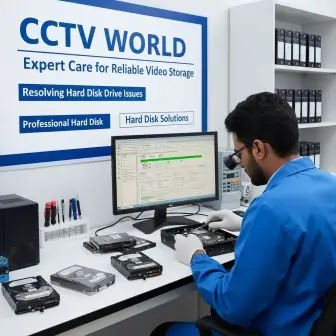
Trusted CCTV Installation Dealer in Garia helps keep surveillance systems working smoothly with expert installation, HDD issue fixing, and DVR service support for homes and businesses.
Hard Disk Warning Signs
A DVR hard disk may be failing if recording stops, playback skips days, error messages appear, or the device makes unusual clicking sounds.
Why Hard Disks Fail
Overheating, dust, unstable power supply, constant recording load, or using a non-surveillance-grade disk are common reasons for HDD failure.
Quick Fix Before Technician Visit
Restart once, check HDD connection, ensure system airflow, avoid formatting, and stop usage if unusual noises continue.
Professional Repair and Support
Technicians diagnose HDD health, recover accessible footage, replace damaged drives, adjust recording settings, and stabilize the system.
Best HDD Type for CCTV
Surveillance-grade HDDs are recommended because they handle 24/7 write cycles and perform better in CCTV recorders.
| Issue | Reason | Action |
|---|---|---|
| Missing Footage | Disk fail or overwrite rule | Check settings or replace drive |
| Clicking Noise | Mechanical damage | Power off and repair |
| Slow Playback | Bad sectors | Run diagnostics or replace disk |
| Disk Error Message | Loose cable or corrupt HDD | Reconnect or replace |
FAQ
How do I confirm my DVR HDD is failing?
If playback freezes, footage disappears, or storage keeps giving errors, the disk may be failing.
Can lost CCTV footage be restored?
Recovery is sometimes possible if the disk is not formatted or overwritten.
How long does a CCTV hard disk last?
Surveillance HDDs usually last 2–5 years depending on usage and conditions.
Can a normal computer HDD be used for CCTV?
No, regular HDDs are not built for continuous recording and fail faster.
Do you provide field repair and installation?
Yes, home, shop, office, and housing project service is available near Garia.