
How to File ITR Using Genius Software
July 02, 2026
How to File ITR Using Genius Software – Complete Step-by-Step Guide for CAs & Businesses (2026)
Filing Income Tax Returns (ITR) accurately and on time has become more important than ever. With frequent tax law updates, AIS and TIS reconciliation, validation rules, and e-filing requirements, manual preparation often leads to delays and costly errors.This is where Genius Software by SAG Infotech simplifies the entire process. Whether you are a Chartered Accountant managing hundreds of client returns or a business filing corporate income tax, Genius IT Software provides a structured workflow that helps complete the process efficiently while reducing compliance risks.
At Genius Infotech, an authorized dealer and implementation partner of Genius Software in Jogeshwari West, Mumbai, we have helped numerous Chartered Accountants, tax professionals, SMEs, retailers, manufacturers, and consultants successfully implement, migrate, train, and support Genius Software for their daily tax compliance needs.
This guide explains exactly how to file an ITR using Genius Software, who should use it, common mistakes to avoid, and best practices followed by experienced professionals.
Who Should Read This Guide?
This article is useful for:- Chartered Accountants
- Tax Consultants
- CA Firms
- Small Businesses
- Medium Enterprises
- Manufacturers
- Retail Businesses
- Partnership Firms
- LLPs
- Private Limited Companies
- Payroll Managers
- Finance Professionals
- Business Owners handling taxation internally
What Problem Does This Solve?
Income tax filing involves much more than simply entering income figures.Professionals often struggle with:
- Managing multiple clients
- Importing financial data
- Reconciling AIS/TIS information
- Selecting correct ITR forms
- Validating deductions
- Preventing filing errors
- Tracking return status
- Maintaining client records
- Meeting statutory deadlines
What is Genius Software?
Genius Software is a professional taxation software developed by SAG Infotech for Chartered Accountants, tax professionals, and businesses.It provides integrated solutions for:
- Income Tax Return Filing
- TDS Return Filing
- GST Compliance
- Payroll Management
- Company Law Compliance
- Financial Reporting
- Client Management
Key Features of Genius IT Software
Comprehensive ITR Filing
Supports multiple ITR forms including:- ITR-1
- ITR-2
- ITR-3
- ITR-4
- ITR-5
- ITR-6
- ITR-7
Automatic Data Import
Import information from:- Excel
- JSON
- Previous Year Returns
- Accounting Software
- Client Databases
AIS & TIS Reconciliation
The software helps compare:- AIS
- TIS
- Form 26AS
Built-in Validation
Before uploading returns, Genius automatically checks:- Missing fields
- Incorrect PAN
- Invalid deductions
- Tax calculation errors
- Schedule mismatches
Bulk Client Management
CA firms can:- Manage hundreds of clients
- Track filing status
- Store previous returns
- Generate reports
- Schedule pending work
Secure Backup
Regular backup options protect client data against accidental loss.Automatic Updates
Whenever tax laws or utility changes occur, software updates help users remain compliant.Benefits of Filing ITR Using Genius Software
Saves Time
Tasks that previously required several hours can often be completed much faster through automation.Reduces Human Errors
Automated validations reduce:- Calculation mistakes
- Data entry errors
- Invalid schedules
- Missing disclosures
Better Client Management
Professionals can organize:- PAN-wise records
- Assessment Years
- Return history
- Notices
- Compliance reports
Improved Accuracy
Integrated validation helps ensure information is complete before filing.Faster Return Preparation
Reusable client information allows quicker preparation during every assessment year.Supports Professional Practice Growth
By reducing repetitive work, CA firms can serve more clients without proportionally increasing administrative workload.Real-World Use Cases
Chartered Accountant Managing 500 Clients
A CA firm in Mumbai manages over 500 income tax clients every year.Instead of maintaining multiple spreadsheets, they use ITR Software for CA to:
- Import client data
- Generate returns
- Validate errors
- File returns
- Store acknowledgements
SME Filing Business Returns
A manufacturing company needs to file:- Business income
- Depreciation
- GST-related reconciliation
- Advance tax
- Audit information
Retail Business
A retailer files annual income tax returns after importing accounting information.The software calculates taxes, validates schedules, and prepares returns without extensive manual calculations.
Tax Consultant Handling Multiple Individuals
A tax consultant serving salaried employees uses Genius Software to:- Import Form 16
- Verify AIS
- Calculate deductions
- Generate returns
- Submit e-filing data
Payroll Manager
Payroll managers use integrated employee salary information while preparing tax-related documents, improving consistency between payroll and income tax reporting.Common Mistakes While Filing ITR
Many filing errors occur because users skip verification steps.Common mistakes include:
- Selecting the wrong ITR form
- Ignoring AIS mismatches
- Incorrect deduction claims
- Missing exempt income
- Wrong bank account details
- Invalid PAN information
- Failure to verify return after filing
- Not updating software before filing
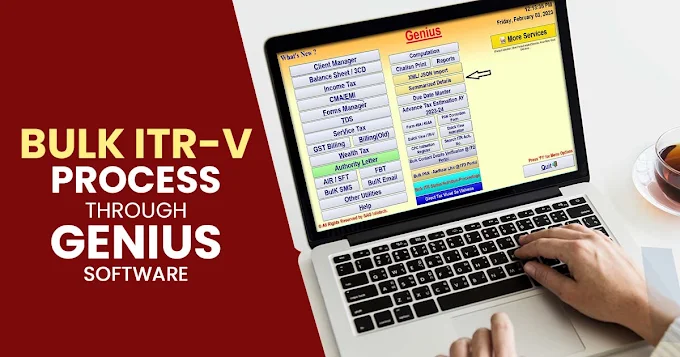
How to File ITR Using Genius Software
Step 1: Install Genius Software
Install the latest version of SAG Infotech Genius Software on your system.Ensure all updates are completed before starting return preparation.
Step 2: Create Client Profile
Enter:- PAN
- Personal Details
- Business Details
- Assessment Year
Step 3: Import Financial Data
Import:- Excel
- Accounting Software
- Previous Year Data
- JSON files
Step 4: Select Appropriate ITR Form
Choose the correct return based on:- Salary
- Business Income
- Capital Gains
- Partnership
- Company
- Trust
Step 5: Enter Income Details
Include:- Salary
- House Property
- Business Income
- Capital Gains
- Other Sources
Step 6: Claim Eligible Deductions
Enter deductions under applicable sections wherever eligible.Examples include investments, insurance premiums, education loan interest, and other permissible deductions under the Income-tax Act.
Step 7: Verify AIS, TIS & Form 26AS
Cross-check all reported income before proceeding.This step helps reduce mismatch notices from the Income Tax Department.
Step 8: Validate Return
Run software validation.Resolve every warning before proceeding.
Step 9: Generate JSON
Generate the required return file for e-filing.Step 10: Upload & Verify
Upload the return through the Income Tax e-Filing Portal.Complete verification using available methods such as Aadhaar OTP, net banking, or digital signature (where applicable).
Internal Linking Opportunities
You can internally link this article to:- Best GST Software for CA Firms
- Best GST Software for SMEs
- Genius Software Services
- Genius Software Installation
- Genius Software Renewal
- Genius Software Support
- Tax Audit Software
- Payroll Software
- GST Software Comparison
- Income Tax Notices
- GST Notices
- Genius vs Tally
- Genius vs Busy
- Genius vs Winman
External Authoritative References
For accurate compliance guidance, readers can refer to:- Income Tax Department – https://www.incometax.gov.in
- GST Portal – https://www.gst.gov.in
- Ministry of Corporate Affairs – https://www.mca.gov.in
Frequently Asked Questions
1. What is Genius Software?
Genius Software is a professional taxation and compliance software developed by SAG Infotech for Chartered Accountants, tax consultants, businesses, and finance professionals.2. How do you file an ITR using Genius Software?
Install the software, create the client profile, import financial data, select the appropriate ITR form, verify AIS/TIS information, validate the return, generate the JSON file, upload it to the Income Tax portal, and complete e-verification.3. Is Genius Software suitable for Chartered Accountants?
Yes. It is widely used by CA firms managing multiple client tax returns, GST filings, TDS compliance, and payroll.4. Can businesses use Genius Software?
Yes. SMEs, manufacturers, retailers, LLPs, and private companies can use it for income tax compliance and reporting.5. Does Genius Software support AIS reconciliation?
Yes. The software supports reconciliation of AIS, TIS, and Form 26AS to help identify discrepancies before filing.6. Can previous year data be imported?
Yes. Previous client data can be imported, reducing repetitive manual entry.7. Does Genius Software receive regular updates?
Yes. Software updates are released to align with changes in tax utilities and compliance requirements.8. Can multiple client returns be managed?
Yes. The software includes client management features suitable for tax professionals handling large volumes of returns.9. Does Genius Infotech provide installation and support?
Yes. Genius Infotech provides software installation, implementation, migration, renewal, upgrades, user training, and ongoing technical support.10. Where can I get Genius Software support in Mumbai?
Genius Infotech, located in Jogeshwari West, Mumbai, provides authorized sales, implementation, renewal, technical support, and training services for clients across Andheri West, Goregaon, Oshiwara, Momin Nagar, and the Western Suburbs of Mumbai.Why Choose Genius Infotech?
Choosing software is only part of the solution. Successful implementation depends on proper installation, configuration, training, and ongoing support.Genius Infotech is an authorized dealer and implementation partner of Genius Software by SAG Infotech, offering end-to-end assistance from its office at:
Level-1, Office, Dewan Center
32 Swami Vivekanand Road
Near Jogeshwari Railway Station
Jogeshwari West
Mumbai – 400102
Our services include:
- Software consultation
- License sales and renewal
- Installation and configuration
- Data migration
- User training
- Version upgrades
- Technical troubleshooting
- Annual maintenance support
Conclusion
Income tax compliance requires accuracy, consistency, and timely filing. How to File ITR Using Genius Software is a straightforward process when supported by the right tools and implementation expertise. From importing client data and reconciling AIS to validating returns and generating filing-ready JSON files, Genius IT Software streamlines the entire workflow for Chartered Accountants, tax consultants, and businesses.Whether you are a solo practitioner or a growing CA firm, partnering with Genius Infotech ensures you receive not only licensed SAG Infotech Genius Software, but also professional installation, migration, training, upgrades, renewal assistance, and dependable technical support to help you stay compliant and productive year after year.