5 Signs Your Laptop Needs Professional Repair
13 Feb 2026, 10:24 PM IST
Laptops often show subtle signs before major issues appear. Recognizing these laptop damage symptoms early helps prevent data loss, costly repairs, and downtime. Lap Technology, located near Shahid Khudiram metro station, Garia Station Road, Kolkata, provides expert laptop repair services and accessories, ensuring devices remain reliable and perform at their best.Learn how to detect and address laptop issues before they escalate.
What are early warning signs of laptop failure?
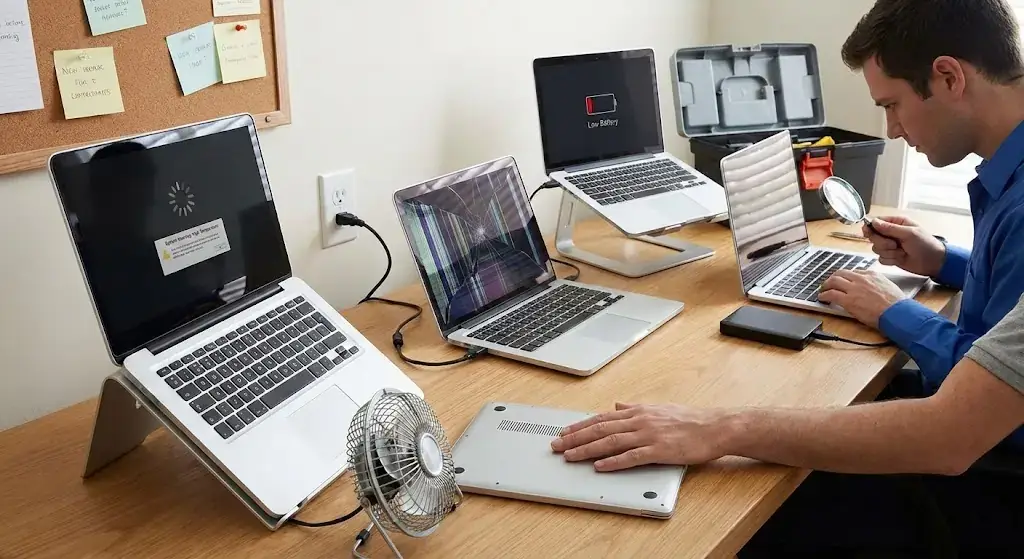
Early warning signs of laptop failure are indicators that something inside the system isn’t functioning correctly. Common laptop damage symptoms include slow performance, unusual noises, overheating, battery problems, display issues, and frequent error messages. Detecting these signs early allows professionals to fix problems before permanent damage occurs.
5 Signs Your Laptop Needs Professional Repair
1. Slow Performance and System Lag
Lagging Applications
Laptops that take longer to open apps, run software slowly, or freeze unexpectedly often have hardware or software issues. Slow response times are a classic sign your laptop needs professional repair. At Lap Technology, technicians can optimize performance and identify underlying hardware faults before they worsen.
Frequent Freezes
When programs freeze regularly or the cursor becomes unresponsive, it’s usually due to memory issues, corrupted files, or storage drive problems. Ignoring these laptop damage symptoms can lead to data loss or total system failure. Immediate professional assessment is essential.
2. Overheating and Loud Fan Noise
Excessive Heat
If your laptop becomes hot even with light use, it may have blocked vents, failing fans, or dust accumulation. Overheating not only slows performance but also damages internal components. Professional cleaning and thermal management solutions help maintain safe operating temperatures.
Unusual Fan Sounds
Fans running loudly or inconsistently indicate strain on the cooling system. This is a frequent laptop damage symptom that often precedes more serious failures. Lap Technology provides expert fan replacement and maintenance to restore normal operation.
3. Battery and Power Problems
Rapid Battery Drain
Laptops that discharge quickly or fail to hold a charge need immediate attention. These issues can result from aging batteries or motherboard problems. Expert technicians at Lap Technology perform battery diagnostics and replacements efficiently.
Unexpected Shutdowns
If a laptop shuts down randomly without warning, it may signal internal power issues, battery failure, or corrupted software. Ignoring these laptop damage symptoms can cause permanent hardware damage or data loss.
4. Display and Screen Issues
Flickering or Dim Displays
Screen flicker, blackouts, or inconsistent brightness may be caused by loose connectors or failing graphic components. Professional repair ensures display clarity and prevents further damage.
Physical Damage
Cracks or broken hinges affect usability and can worsen if left unattended. Screen and hinge repairs at Lap Technology restore functionality and safety.
5. Strange Noises and Error Messages
Clicking or Grinding Sounds
Clicking, grinding, or unusual noises from the hard drive usually indicate internal failure. Immediate repair reduces the risk of complete drive damage and data loss.
Frequent System Errors
Pop-ups, repeated software crashes, or error codes are signs your laptop needs professional repair. Timely intervention by trained technicians can resolve these laptop damage symptoms and improve overall system stability.
Laptop Repair Services Table
| Service | Common Issue | Repair Time | Benefits |
|---|---|---|---|
| Hardware Diagnostics | Slow Performance, Noisy Fans | 1–2 Hours | Accurate problem detection, prevents further damage |
| Battery Replacement | Rapid Drain, Random Shutdowns | 30–60 Minutes | Restores battery efficiency, extends lifespan |
| Screen & Hinge Repair | Flickering, Cracks | 1–3 Hours | Clear visuals, safe usage |
| Software Optimization | Freezes, System Errors | 1 Hour | Smoother operation, fewer crashes |
| Fan Cleaning & Replacement | Overheating, Loud Fans | 45–90 Minutes | Stable temperature, quieter operation |
How do I know if my laptop really needs repair?
Signs such as slow response, overheating, random shutdowns, flickering screens, or unusual noises are strong indicators your laptop requires professional attention.
Can minor laptop damage worsen over time?
Yes. Ignoring small issues like fan noise, lag, or battery problems can lead to severe hardware failure and higher repair costs.
How long does repair take at Lap Technology?
Repair duration depends on the issue. Simple services like battery replacement can take 30–60 minutes, while screen repairs or diagnostics may take 1–3 hours.
Do you provide warranty on repairs?
Yes. Lap Technology offers warranties on parts and services to ensure reliability and customer satisfaction.
Are software issues included in professional repair?
Absolutely. Our services include software optimization, virus removal, and error correction along with hardware repairs.
Can preventive care reduce laptop damage symptoms?
Regular cleaning, timely updates, and monitoring temperatures help prevent damage and maintain laptop performance over time.