Laptop Maintenance Tips for Students
13 Feb 2026, 10:24 PM IST
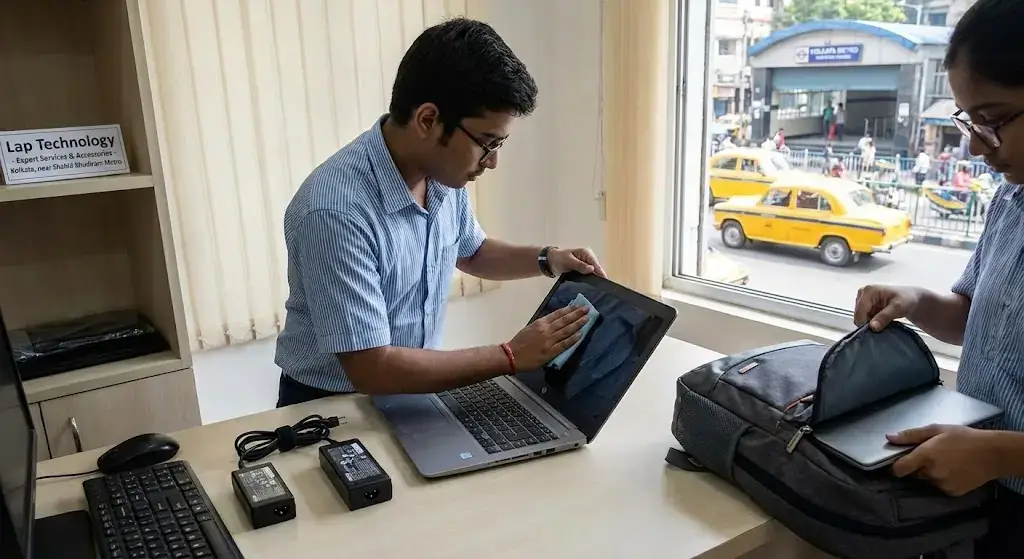
Laptop maintenance tips for students Kolkata are essential for keeping laptops in top condition and ensuring students enjoy smooth, uninterrupted usage. Student laptop care involves regular cleaning, proper battery handling, avoiding overheating, and timely software updates. By following practical guidelines and seeking professional support from Lap Technology near Shahid Khudiram metro station, students can extend device lifespan and enhance performance.Stay proactive with simple habits to protect your laptop investment.
How can students maintain laptops for long-term use?
Students can maintain laptops for long-term use by combining careful physical handling, routine cleaning, safe charging practices, and software management. Professional checkups at trusted centers like Lap Technology in Kolkata provide repair solutions and genuine accessories, helping student laptops stay reliable and efficient. Proper student laptop care prevents unexpected failures and ensures consistent study productivity.
Laptop Maintenance Tips for Students
Student Laptop Care Essentials
Regular Cleaning
Keep your laptop free of dust, food crumbs, and dirt. A microfiber cloth works best for screens, while compressed air clears keyboards. Even small particles can block vents, causing overheating or slow performance. Doing this weekly prevents issues and keeps devices looking new.
Battery Management
Avoid leaving laptops plugged in constantly. Let the battery discharge moderately before recharging. This approach preserves battery health, reduces overheating, and prevents sudden shutdowns during important assignments.
Software and Performance Maintenance
System Updates
Regular updates improve security, enhance speed, and fix bugs. Enable automatic updates for operating systems and apps when possible. Outdated software can make laptops sluggish and vulnerable to malware.
Storage Optimization
Keep only essential files on your laptop. Store large projects on external drives or cloud platforms. Decluttering storage helps in faster boot times, smoother multitasking, and less system lag.
Safe Handling and Accessories
Physical Safety
Transport laptops in padded bags. Avoid food or drink nearby. Accidental spills and drops are the most common reasons for repairs. A careful approach ensures that devices stay functional longer.
Reliable Accessories
Use genuine chargers, external keyboards, and mice. Lap Technology offers authentic laptop accessories near Shahid Khudiram metro station in Kolkata. Compatible and durable accessories prevent damage and improve daily usage experience.
Optimized Study Environment
Keep laptops on hard surfaces for airflow. Avoid soft surfaces like beds or couches. Overheating slows performance and damages internal components. Maintain moderate room temperature and take breaks during long study sessions.
Maintenance Services Table
| Service | Pricing (₹) | Benefits |
|---|---|---|
| Full Laptop Cleaning | 500–800 | Removes dust, prevents overheating, improves performance |
| Battery Replacement | 1,200–2,500 | Restores battery life, prevents sudden shutdowns |
| Software Optimization | 300–700 | Speeds up system, fixes errors, enhances security |
| Hardware Repair | 1,000–5,000 | Fixes screens, motherboards, and other critical parts |
| Accessory Replacement | Varies | Ensures reliable chargers, keyboards, and mice |
How often should students clean their laptops?
Cleaning once a month is ideal. Keyboards and vents require extra attention to avoid dust accumulation and overheating.
Can leaving laptops plugged in all the time damage batteries?
Yes. Constant charging can reduce battery lifespan. Letting batteries discharge moderately before recharging is healthier.
Does Lap Technology provide accessories for all laptop brands?
Yes. Lap Technology near Shahid Khudiram metro station offers genuine accessories compatible with major laptop brands.
How can overheating be prevented during long study sessions?
Use laptops on hard surfaces, avoid heavy multitasking for long periods, and clean vents regularly.
Are professional repairs necessary for minor laptop issues?
Yes. Even minor problems can escalate if untreated. Lap Technology ensures proper handling, preventing expensive repairs later.
Why are software updates important for students?
Updates fix security vulnerabilities, enhance performance, and improve compatibility with educational software.
What are simple daily habits for student laptop care?
Avoid eating near laptops, carry them safely, clean surfaces weekly, and maintain battery cycles to prevent long-term damage.