
Laptop Maintenance Tips for Students in Kolkata
30 Jun 2026, 5:30 AM IST
Laptop maintenance tips for students in Kolkata are essential for keeping devices reliable and performing smoothly. Proper student laptop care includes regular cleaning, timely software updates, safe handling, and periodic professional checks. Students often face overheating, battery issues, and slow performance, which can disrupt studies. By following simple routines and seeking expert help from Lap Technology near Shahid Khudiram metro station, students can extend their laptop lifespan and maintain consistent productivity. Keeping laptops in excellent condition requires awareness, proactive care, and a mix of daily habits with professional servicing.How can students maintain laptops for long-term use?
Students can maintain laptops for long tern use by properly managing dust, keeping software updated, monitoring battery health, and handling devices carefully. Regular inspections prevent overheating, slowdowns, and hardware failures. Combining daily maintenance habits with professional support, like services offered by Lap Technology, ensures laptops stay reliable for studies, online learning, and creative work.
Student Laptop Care Essentials
Cleaning and Dust Management
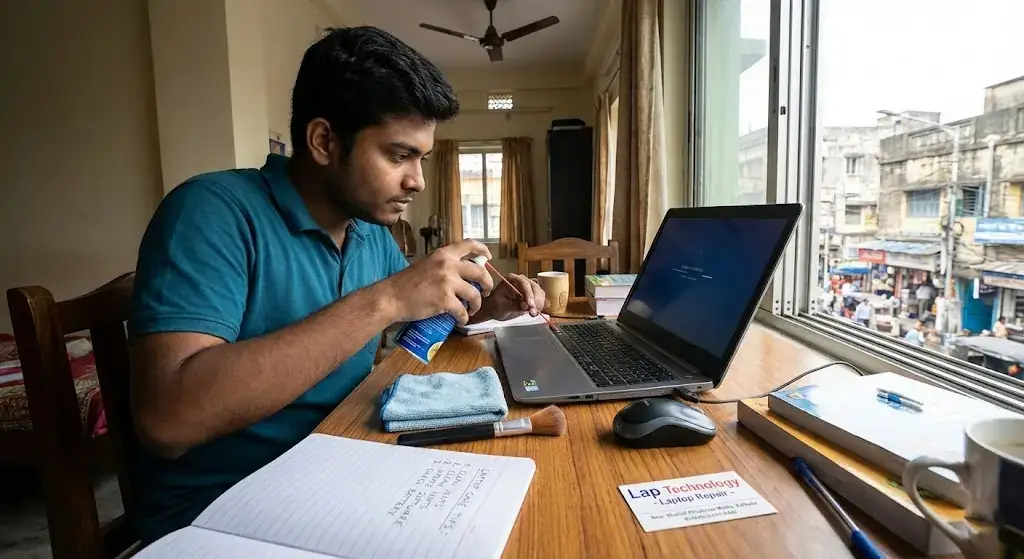
For effective student laptop care, regular cleaning is crucial. Dust accumulates quickly, especially in keyboard gaps and air vents, leading to overheating and performance drops. Wipe the screen with a soft microfiber cloth and use compressed air for vents. Lap Technology provides thorough cleaning services that remove hidden dust while protecting delicate components. Avoid using food or drinks near laptops to prevent accidental spills and sticky keys.
Software Updates and Security
Keeping operating systems and applications up to date is key to maintaining speed and security. Enable automatic updates for both the system and antivirus software. Regularly backup important files to cloud storage or external drives. Updating software reduces crashes, optimizes memory usage, and ensures smoother multitasking, which is vital for students juggling assignments, projects, and online classes.
Battery and Power Management
Charging Practices
Students should charge laptops before the battery drops below 20% and avoid leaving devices plugged in continuously. Using original chargers prevents damage to the battery and motherboard. Lap Technology offers battery check-ups and replacements for laptops that show early signs of degradation. Proper battery management prevents sudden shutdowns during exams, assignments, or online lectures.
Energy Efficiency
Switching to power-saving modes during low-activity periods reduces heat and conserves battery. Lower screen brightness, close unused applications, and unplug peripherals not in use. These small steps protect the battery and keep laptops running cool, allowing students to focus on their work without interruptions.
Professional Maintenance Services
Hardware Inspections
Periodic inspections are essential to detect fan wear, thermal paste dryness, and storage issues. Lap Technology in Kolkata offers detailed hardware assessments that keep laptops in peak condition. Regular professional maintenance ensures devices function reliably for long study sessions, gaming breaks, and multimedia projects.
Accessory Support
Using accessories such as cooling pads, laptop bags, and external drives adds an extra layer of protection. Lap Technology provides high-quality accessories suitable for students, preventing overheating, accidental drops, and data loss.
Laptop Maintenance Services Table
| Service | Price (INR) | Benefits |
|---|---|---|
| Laptop Cleaning | 500–800 | Removes dust, prevents overheating, improves performance |
| Battery Check & Replacement | 800–1500 | Extends battery life, prevents sudden shutdowns |
| Software Update & Optimization | 300–600 | Boosts speed, enhances security, reduces crashes |
| Accessory Support | Varies | Protects laptop, adds convenience, prevents damage |
FAQ
How often should students clean their laptops?
Cleaning every 2–3 months is ideal. Focus on vents, keyboards, and screens to prevent dust buildup that can slow down performance and cause overheating.
Can software updates improve laptop speed?
Yes. Updates fix bugs, enhance security, and optimize system performance, helping laptops run smoothly during heavy academic workloads.
What are the signs of battery problems in student laptops?
Rapid draining, slow charging, and sudden shutdowns are common signs. Lap Technology provides battery inspections and replacements to avoid interruptions.
Are cooling pads necessary for students?
While not mandatory, cooling pads help maintain optimal temperatures during long study hours, preventing overheating and extending laptop life.
Where can students find reliable laptop accessories in Kolkata?
Lap Technology near Shahid Khudiram metro station offers quality accessories like bags, cooling pads, and external drives tailored for students.
How can students prevent accidental laptop damage?
Always use a laptop bag, avoid placing food or liquids nearby, and handle devices gently. Professional accessory support helps minimize risks.
Is regular professional servicing necessary for student laptops?
Yes. Regular checkups ensure all components, including fans, batteries, and storage drives, remain functional and prevent unexpected breakdowns.