Top Laptop Fan Noise Problem Repair in South Kolkata
13 Feb 2026, 10:24 PM IST
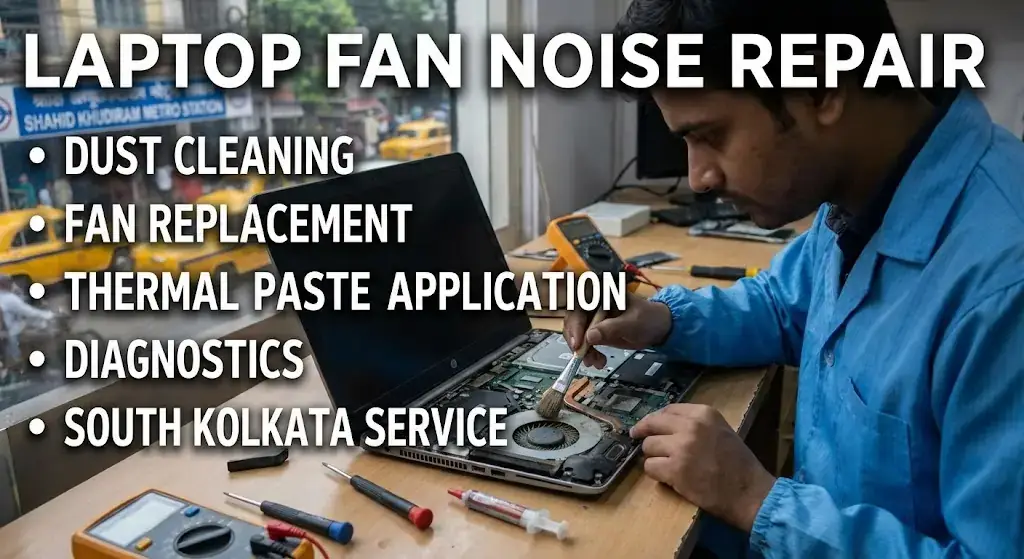
Laptop fan noise problem repair Kolkata South is a common concern for users facing overheating and reduced performance. Excessive fan noise may start subtly and gradually grow louder due to dust buildup, clogged vents, or aging hardware. Quick action is essential to prevent permanent damage, and professional noisy laptop fan fix services can restore smooth and quiet operation. Lap Technology near Shahid Khudiram metro station, Garia station road, Kolkata, offers expert repair and maintenance for laptops of all brands. Understanding laptop fan issues helps users maintain device longevity and prevent costly replacements.Is loud laptop fan noise dangerous?
Loud laptop fan noise usually signals that the device is overheating or working harder than usual. While brief episodes are generally harmless, prolonged noise can stress internal components, reduce performance, and shorten the laptop’s lifespan. Early repair through noisy laptop fan fix services ensures safety and keeps laptops running efficiently.
Why laptops develop noisy fans
Dust buildup and airflow blockageLaptop fans collect dust, hair, and debris over time. Blocked vents restrict airflow, forcing fans to spin faster and louder. Regular cleaning at Lap Technology removes accumulated dirt, preventing overheating and performance drops.
Overheating and thermal issues
High CPU or GPU usage generates heat. Fans spin faster to cool down the laptop, sometimes producing irritating noise. Software updates, background process management, and thermal paste replacement during noisy laptop fan fix services reduce overheating and noise.
Signs your laptop needs fan repair
Persistent loud fan soundsIf fans constantly roar even during light tasks, it indicates mechanical imbalance or dust accumulation. Ignoring these signs may damage internal components.
Random shutdowns or slow performance
Unexpected shutdowns are often caused by overheating. Professional repair ensures internal parts are protected and performance is restored.
Lap Technology’s laptop fan repair services
Lap Technology offers a full range of laptop fan maintenance and repair solutions in South Kolkata. Services include fan cleaning, replacement, thermal paste application, and diagnostics for overheating. Customers benefit from improved laptop cooling, quiet operation, and extended device lifespan.Responsive Services Table
| Service | Details | Price (INR) |
|---|---|---|
| Fan Cleaning | Removes dust, hair, and debris for smooth operation | 500–700 |
| Fan Replacement | Replaces noisy or faulty fans with new units | 1,200–2,500 |
| Thermal Paste Application | Enhances heat transfer for CPU/GPU | 800–1,200 |
| Full Diagnostic | Identifies root cause of fan noise or overheating | 600 |
FAQ
How often should I get a noisy laptop fan fix?It’s recommended every 6–12 months, depending on usage and environment. Dusty areas may need more frequent service.
Can software updates reduce fan noise?
Yes. Updating drivers, controlling background apps, and optimizing system settings often reduce unnecessary fan activity.
Is it safe to use a laptop with constant fan noise?
Short-term use is generally okay, but prolonged noise indicates overheating, which can damage hardware. Professional repair is advised.
How long does fan replacement take?
Typically 1–2 hours, depending on the laptop model and part availability.
Does cleaning improve laptop performance?
Absolutely. Removing dust enhances cooling, reduces fan strain, and helps the CPU/GPU operate efficiently, improving overall performance.
Do you provide warranty for fan repair services?
Yes, all fan cleaning, replacement, and repair services come with a limited warranty for customer assurance.
What makes Lap Technology different in South Kolkata?
Located near Shahid Khudiram metro station, Lap Technology combines experienced technicians, timely service, and affordable pricing. The focus is on fixing noisy laptop fans efficiently while extending device life.